
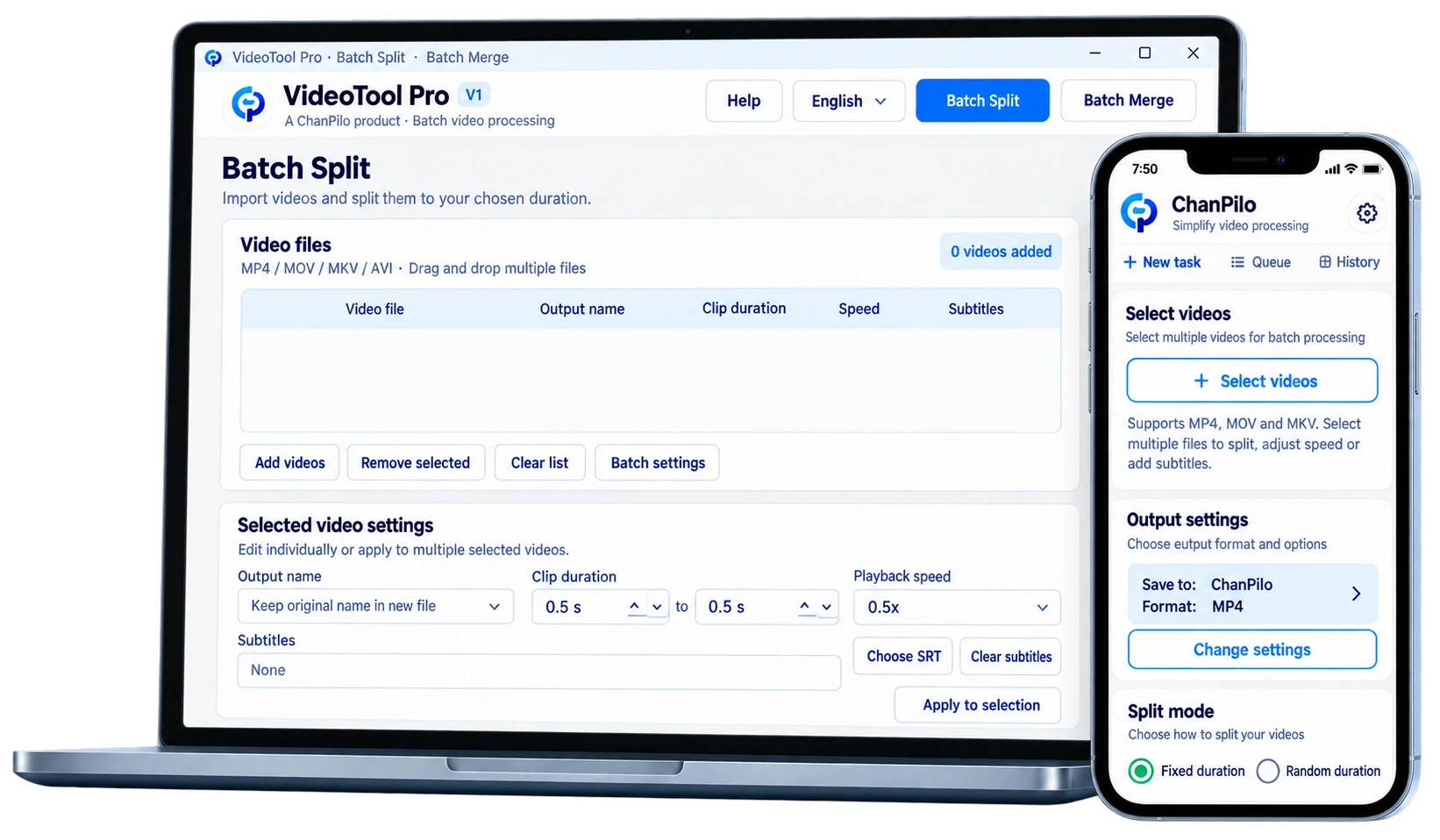
Set each video independently
Even 100 items do not have to share the same parameters. Each video can have its own clip range, speed and subtitles.
Skip complex timelines and technical parameters. Import videos in batches, set what you need, and let ChanPilo handle the rest.
Keep the powerful capabilities inside the software and the controls simple for users.
A beginner-friendly tool should not remove capabilities. It should hide complexity and leave only the controls users actually need.
Even 100 items do not have to share the same parameters. Each video can have its own clip range, speed and subtitles.
No need to open and export videos one by one. Prepare the tasks, then start them together.
No complex timeline and no screen full of expert options. Select a video, change what you need, and start processing.
Processing one video manually may be easy. With dozens or hundreds of items, the real time cost is repeating the same setup again and again.
VideoTool Pro is not about adding more buttons. It keeps advanced capabilities simple to use.
Give each item its own minimum and maximum clip range.
Each item can use no subtitles, an SRT file, or fixed text.
Keep files clear after batch processing so they are easier to identify and organize.
Adjust only the items that need it; not every video has to share the same settings.
Choose Basic for straightforward batch processing; choose Pro for per-video settings and more editing control.
Choose Basic for essential batch processing; choose Pro when each video needs more independent controls.
A simple, stable tool for essential batch video processing
Professional version for more detailed batch workflows
Core video processing happens locally; you do not need to upload video files to the website for clipping or merging.
Start with one simple batch task and let the tool handle the repetition.